S SmartChat
Go to Admin
Managed AI platform
S SmartChat

Your data, answered.

Managed service · nothing to install

Your chat answers with your data.

SmartChat reads your documents and queries your databases to answer like someone from your team. One <script> tag on your site and you're set.

Create free account Direct sign-up on the real instance. No card required.
  • RAG over your documents
  • PostgreSQL, MySQL, MongoDB, and email querying
  • An isolated space per client
15+
INTEGRATIONS
18
ROBOT AVATARS
3
LANGUAGES
S
Volttus Assistant online
TENANT · ACME
How much is left on order 4821 and who approved it?
S
Order 4821 has 3 of 12 units left to deliver. It was approved by Marta Ruiz on July 14th per the purchasing workflow.
postgres · sale_order purchase-policy.pdf · p.4
Type your question… 📎
Powered by SmartChat

Connects with what you already use

Platforms, email, and databases supported today.

PLATFORMS
Odoo WordPress Generic HTML Chrome extension
EMAIL
Gmail Outlook Zoho Amazon WorkMail iCloud Yahoo AOL IMAP
DATABASES
PostgreSQL MySQL MongoDB
TRUSTED BY

Powering chat for teams across fintech, retail, and media

DUC App
Global remittances, currency exchange, and payments platform
District Gem
Fine jewelry and diamond consultation, online
MyRadar.News
AI-powered, cross-verified daily news digest
Ultimate Diamond Co.
Natural & lab-grown diamonds and fine jewelry since 1959
THE PRODUCT

Everything from one dashboard

Seven pieces of the product, captured from the real instance. Use the arrows or click to browse them.
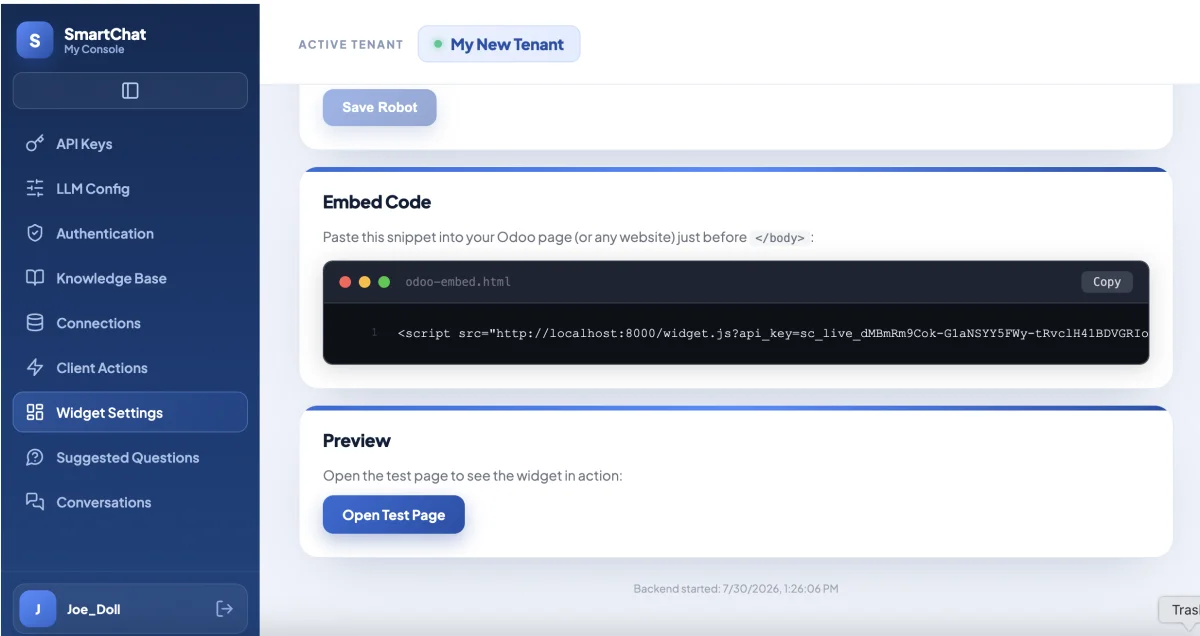
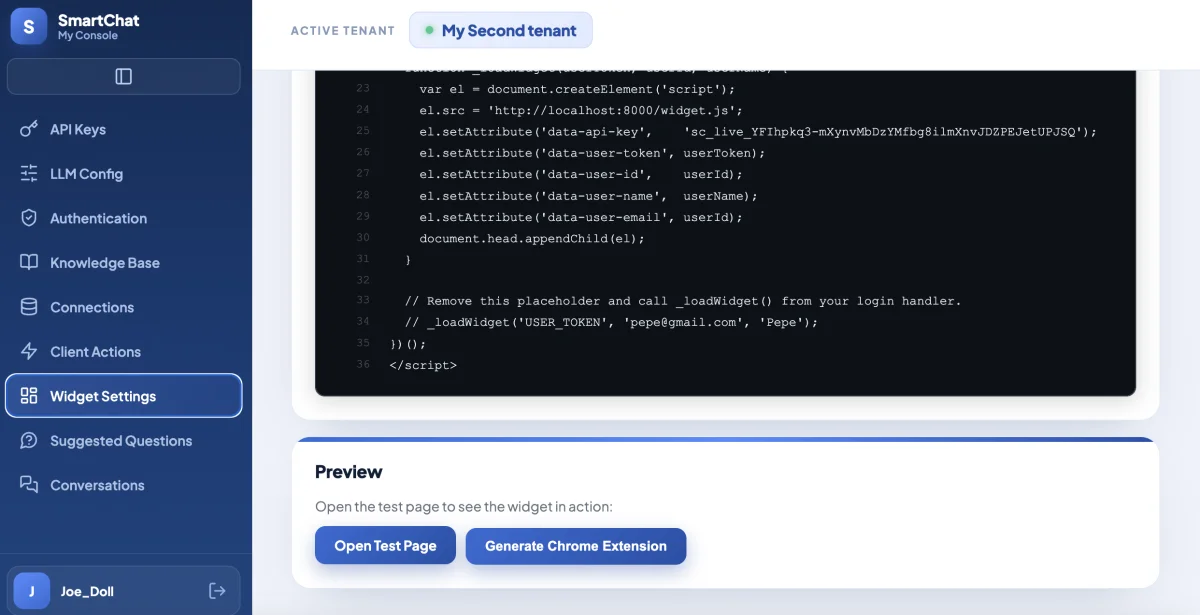
Widget Settings panel showing the widget's embed code, ready to paste into your site
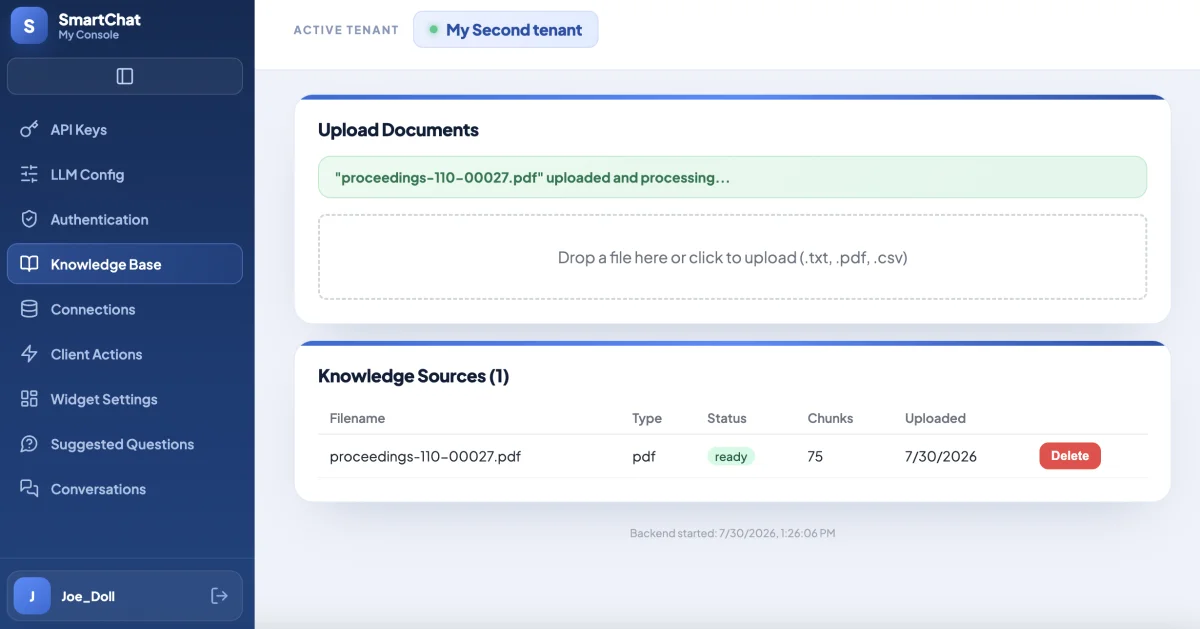
Knowledge Base section of the admin panel, with a PDF document already uploaded and processed
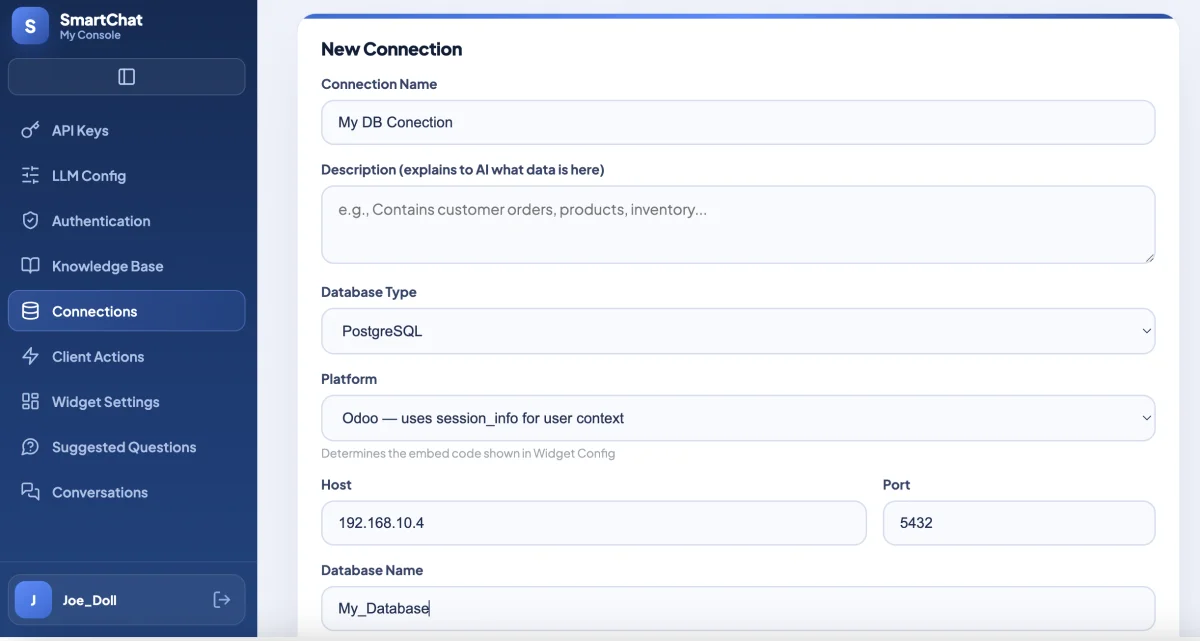
Connections section of the admin panel, with a configured PostgreSQL connection
Setting up an email integration in the admin panel, with the Chrome extension generator
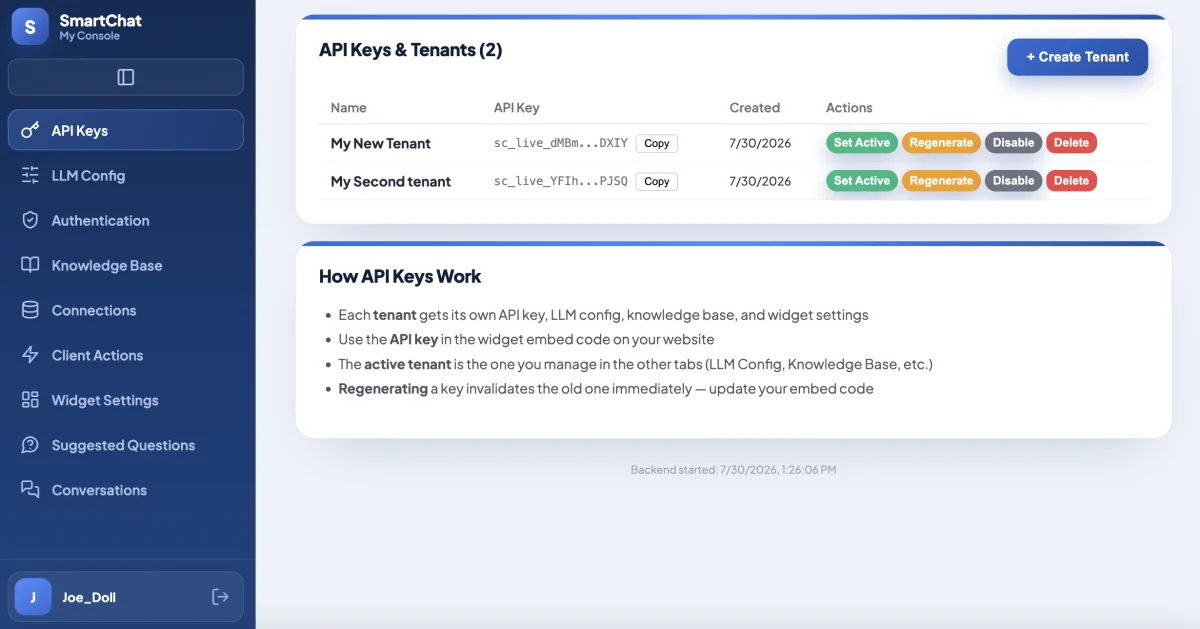
SmartChat admin panel, showing the list of tenants and their API keys
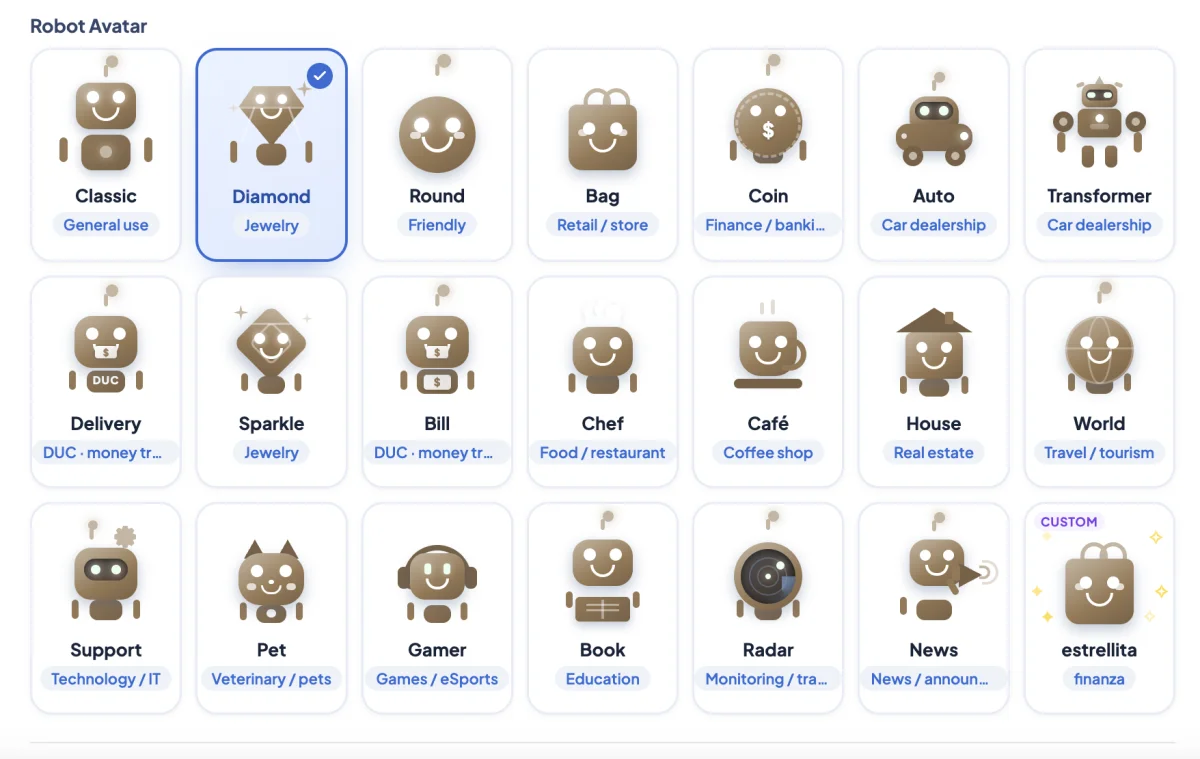
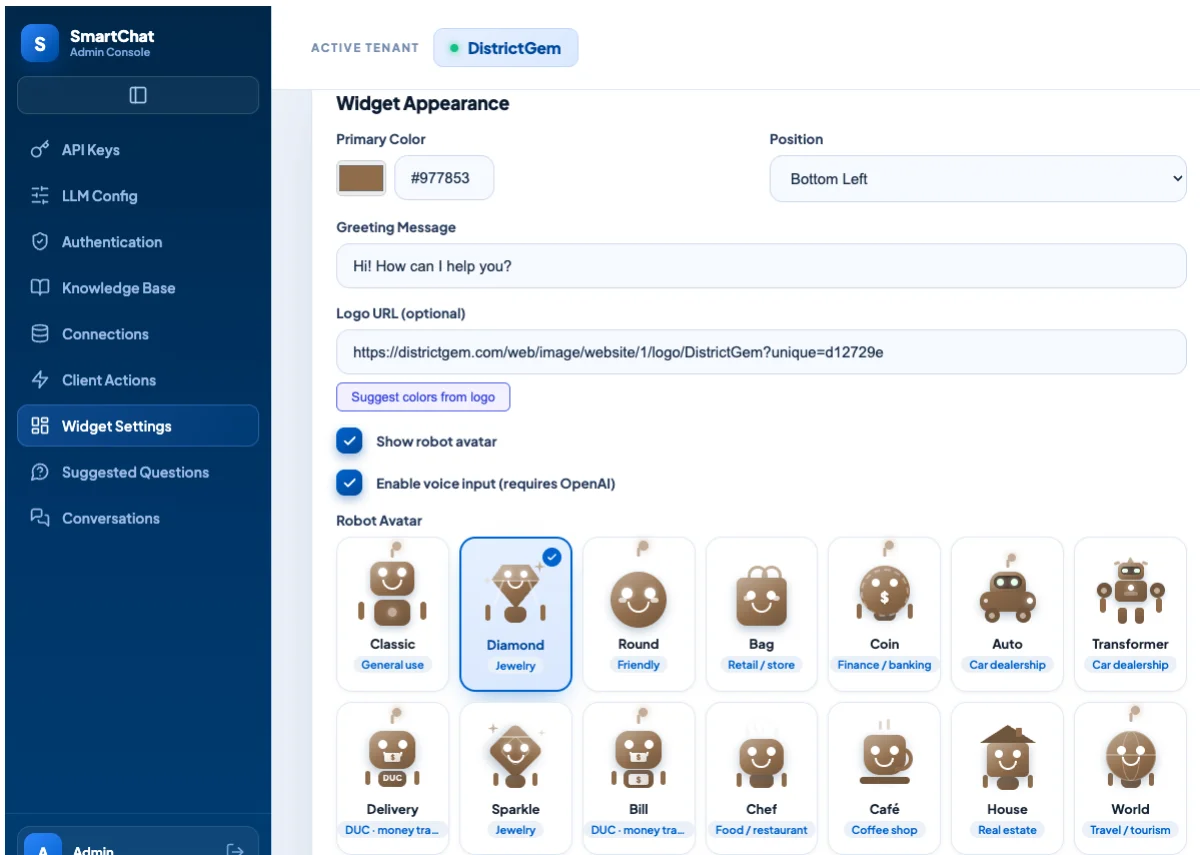
SmartChat admin panel Widget Settings, showing the gallery of 18 animated robot avatars
SmartChat admin panel Widget Appearance panel, with logo URL, Suggest colors from logo button, and show-robot/voice-input toggles

The widget adapts to your site: colors, position, and initial greeting.

GETTING STARTED

Four steps, any given day

  1. 01
    Create your account

    Go to /admin and use "Create Account".

  2. 02
    Create your tenant

    Your own space, with its own knowledge and data.

  3. 03
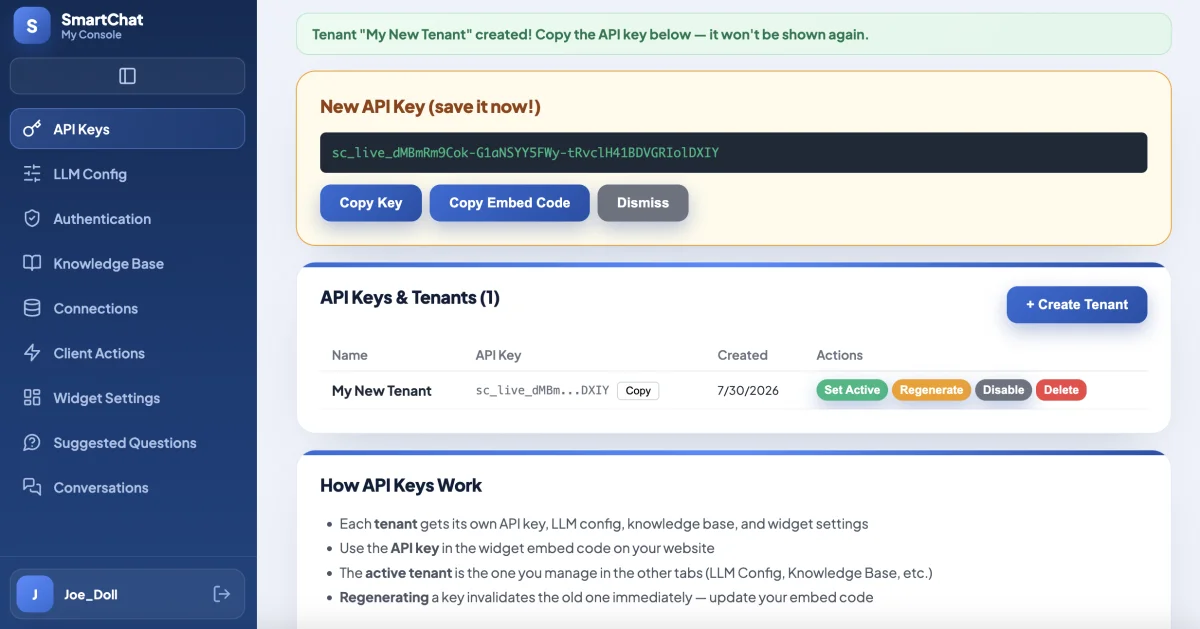
    Copy your API key

    Shown only once — save it somewhere safe.

  4. 04
    Paste the script

    On your site, your WordPress, or your Odoo. That's it.
index.html
<!-- paste this right before </body> -->
<script
  src="/widget.js"
  data-api-key="sc_live_••••••••••••">
</script>
Admin Panel showing the freshly created API key for a demo tenant
ISOLATION

One tenant, one world

Each tenant has its own knowledge base, its own connections, and its own API key. Nothing crosses between clients. Your account can have several tenants at once.

DATA ACCESS

Read-only, only yours

You define which connection is exposed to the assistant. Credentials live encrypted in your tenant.

PRIVACY

No tracking on this site

This page loads no third-party analytics and no non-essential cookies. That's why you won't see a banner.

ALLOWED DOMAINS

Widget locked to your domains

Restrict which origins can load your widget. Copy the embed script onto another site and it's blocked by default.

Create your account and try it with your own documents

Takes less than a minute. We operate the instance — you just log in and get started.

Create free account